For PhD candidates, researchers, lecturers and students

Transcribe Research Interviews Locally —From Audio to Coded Insights, Without Cloud.

Record or import your interview audio. Get accurate transcripts on your own PC. Import into MAXQDA or ATLAS.ti. No cloud upload, no subscription, IRB- and GDPR-ready by design.

Works offline Your interview data stays on your PC
MeetingScribe Windows app

Who MeetingScribe is made for

Wherever audio needs to become text at universities, colleges, and research institutes — and the data can't or shouldn't go to the cloud.

PhD candidates

Qualitative interviews for your dissertation, expert conversations, field research recordings. Export to MAXQDA or ATLAS.ti for coding.

Researchers & institutes

Focus groups, narrative interviews, ethnographic recordings. Ethics review stays simpler — no third-party data processing to explain.

University and college lecturers

Transcribe your own lectures into study notes, archive guest talks, convert seminar recordings into text. Immediately deductible as a low-value asset (Austrian GWG).

Students

Turn lecture recordings into study materials, transcribe bachelor's or master's thesis interviews, document group work. 149 € one-time instead of a monthly subscription.

Course instructors & departments

Course recordings, conference audio, interviews for academic publications. Usable on two devices (office PC + laptop).

Libraries & archives

Digitize oral history interviews, add transcripts to witness testimonies, make older audio collections searchable.
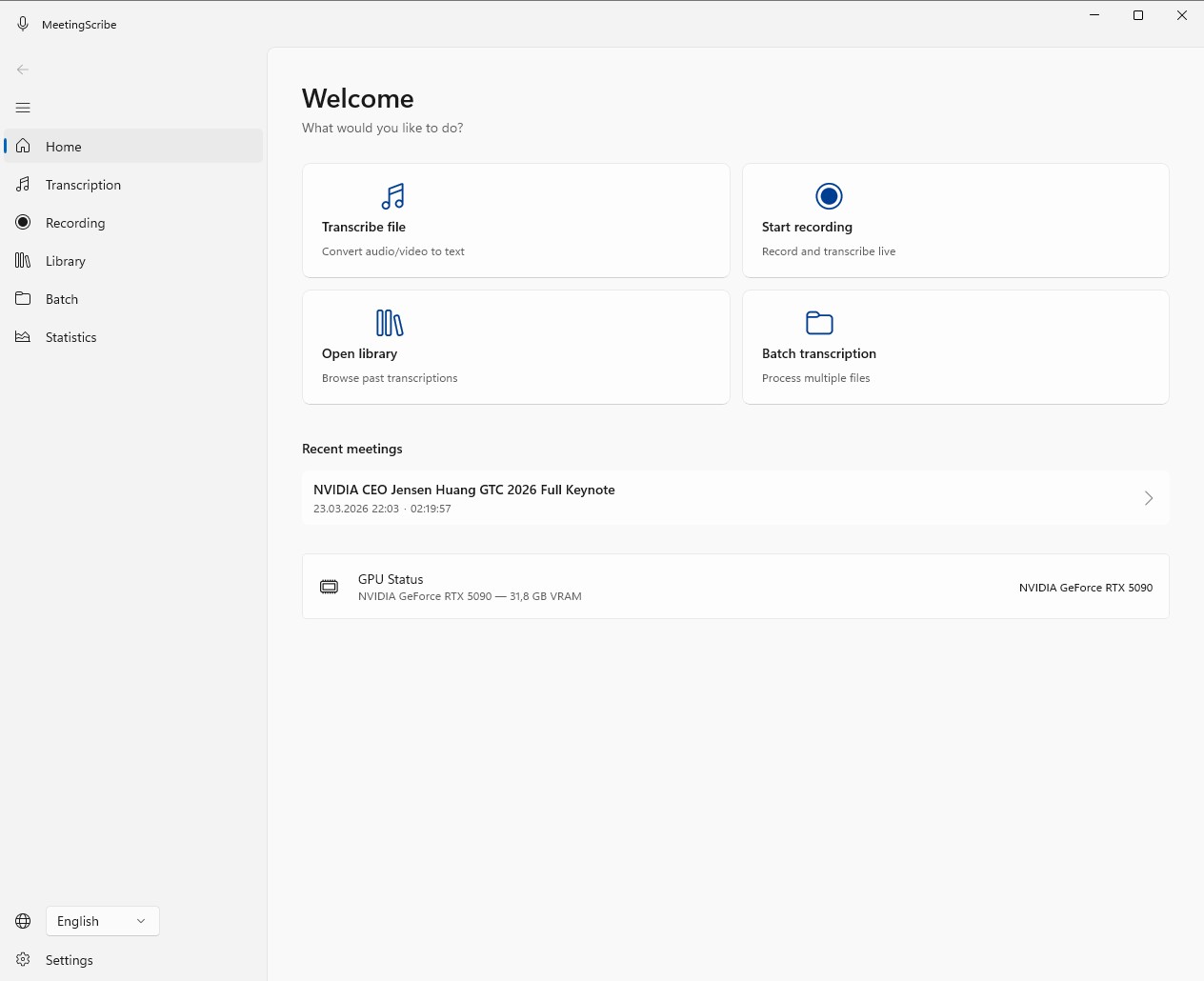
The 5-step research workflow

From the recorder to coded transcripts — entirely on your own machine.

1

Record

Mic in the app, or any external recorder. Interview, focus group, or lecture.

2

Import

Drop the audio or video file into MeetingScribe. MP3, WAV, M4A, MP4, MKV.

3

Transcribe

Whisper runs on your PC — offline. Automatic model selection based on your GPU. 30 languages.

4

Export

DOCX with timestamps for MAXQDA. VTT with speaker labels for ATLAS.ti. Or SRT, TXT, PDF.

5

Code

Open the transcript in your QDA tool. Timestamps and speakers carry over.

Transcription speed depends on your GPU, Whisper model, audio quality and language. Test during the 7-day free trial on your own device.

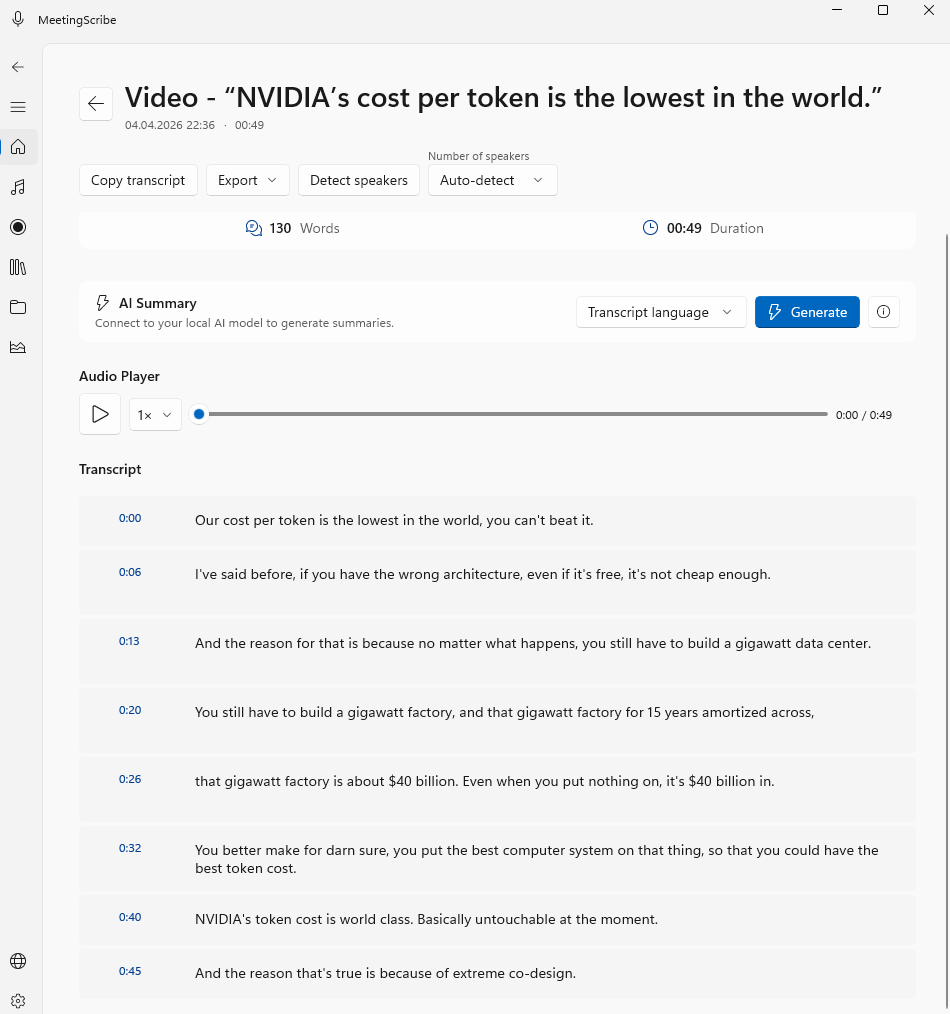
What the transcript looks like

Timestamps per segment, editable directly in the app, export to DOCX for MAXQDA or VTT/SRT for ATLAS.ti.

MeetingScribe transcript view with timestamps, speaker detection and export options

Why researchers choose MeetingScribe

Privacy-first architecture, QDA-compatible exports, and a one-time price — optimized for qualitative research.

IRB & GDPR compliant by design

  • 100% local processing — no data leaves your device
  • No registration, no telemetry, no third-party sharing
  • Supports GDPR Art. 32 through local-processing architecture
  • Suitable for ethics committee (IRB) approval — no DPA needed
  • No mandatory US cloud exposure (relevant post-Schrems II); opt-in AI summary is off by default

Native QDA integration

  • MAXQDA: DOCX export with inline timestamps and speaker labels
  • ATLAS.ti: VTT export with speaker labels — auto-codes speakers on import
  • Also supported: SRT, TXT, PDF
  • NVivo and f4transkript: compatible via DOCX / TXT / SRT
  • Batch export: transcribe multiple interviews in one run

One-time payment, no caps

  • €149 one-time — no recurring subscription
  • Unlimited transcriptions, unlimited audio length (after activation)
  • No monthly minute caps, no per-file size limits
  • Usable on 2 devices (office PC + laptop)
  • From Austrian grant / third-party funding: immediately deductible as GWG

What this means technically

Which export format to pick depends on your QDA tool and whether you need automatic speaker coding.

Format
Timestamps
Speaker labels
Best for
DOCX
Inline
Yes
MAXQDA workflow
VTT
Yes
Yes
ATLAS.ti (auto-codes speakers)
SRT
Yes
Speakers in text
ATLAS.ti fallback / subtitles
TXT
No
Speakers in text
Plain text
PDF
Yes
Speakers in text
Print / archive

For automatic speaker coding in ATLAS.ti, export as VTT, not SRT. Speaker labels in any format require diarization to be enabled before export — it runs locally via Sherpa-ONNX, same as the rest of the pipeline.

One price. No subscription.

Local transcription, unlimited interviews, 7 days free to try — then 149 € once.

MeetingScribe

149 €

Incl. VAT · All updates included · Usable on 2 devices

  • Unlimited transcriptions, unlimited audio length
  • Whisper large-v3-turbo, local
  • 30 languages plus auto-detection
  • Export: DOCX, PDF, TXT, SRT, VTT
  • Usable on 2 devices (office PC + laptop)
  • 7-day free trial, no registration
Buy now — 149 €

Try first, then buy.

Frequently Asked Questions

Yes. Audio and transcript stay on your local machine — no data processing is outsourced, so no Data Processing Agreement (DPA) is required and you remain the sole data controller under GDPR. The architecture supports GDPR Art. 32 (security of processing) through local execution: no transit to third-party processors, no Schrems II exposure. Typical ethics committees approve it for sensitive interview data without additional conditions. Suitable for research with vulnerable populations, clinical interviews, or data flagged as "sensitive personal data" under Art. 9 GDPR.
DOCX. Timestamps appear inline, speaker labels included.
VTT. ATLAS.ti reads speaker labels from VTT and auto-codes each speaker as a separate code on import. SRT works as a fallback (subtitles with inline speaker names) but does not trigger ATLAS.ti's auto-coding. Speaker labels in VTT require diarization to be enabled before export.
Yes. Queue multiple audio or video files in one run — MeetingScribe processes them sequentially and exports each transcript in your chosen format. Useful when you return from a field week with 10–20 recordings and want to transcribe them overnight.
Each segment is tagged with a start and end timestamp — for example 00:02:15 — 00:02:42. The format is consistent across DOCX, VTT, SRT and PDF exports. In TXT, timestamps are optional (configurable per export).
Whisper transcribes the spoken words even with multiple speakers. For distinct speaker labels, enable diarization (powered by Sherpa-ONNX, runs locally). Reliability depends on recording quality and how distinguishable the voices are. In focus groups with overlapping speech, manual corrections may be needed — edit the transcript directly in the app before exporting.
Yes, after installation. Only three exceptions exist: (1) one-time Whisper model download on first launch, (2) license key validation at app startup (non-blocking — the app works offline too), (3) optional cloud AI summary if you explicitly enable it (off by default — a local Ollama alternative is also available). Transcription itself generates zero network traffic.
Windows 10 (Build 19041) or Windows 11, 64-bit. NVIDIA GPU with 6 GB+ VRAM recommended for the fastest large-v3-turbo model. 4–6 GB → medium model; 2–4 GB → small model. No NVIDIA GPU → CPU fallback (significantly slower but functional). Test during the 7-day free trial to see actual speed on your machine.
7 days, no credit card, no registration. Full feature set otherwise, with two limits: up to 5 minutes of audio per transcription, up to 5 meetings stored in the library. Enough to verify quality and speed on your own hardware. Need longer-audio testing before committing? Write to contact@gorec.io.

Your next interview without the transcription hassle.

7-day free trial. No credit card, no obligation.